Showing posts with label Windows Tips. Show all posts

Monday, 26 December 2011

Display Message at Windows Startup


If you want to a text to appear while Windows starts, this is the topic which you should read.

Simple Steps:


Go to Start --> Run (windows+R)
Type regedit
Click Enter
Go here: HKEY_LOCAL_MACHINE\SOFTWARE\MICROSOFT\WINDOWS NT\CURRENTVERSION\WINLOGON

Modify the key LEGALNOTICECAPTION With the text of your choice. (TITLE)
Modify the key LEGALNOTICETEXT with the text of your choice. (tEXT)

Restart your Windows for this to work.

Sunday, 25 December 2011

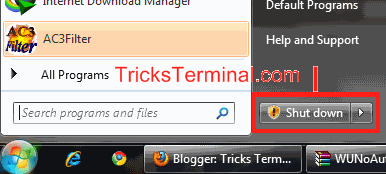
Stop Windows Update from Hijacking ur Shutdown Button


Have u ever been annoyed by Windows Update which blocks ur PC from being shutdown when you were just about to leave ur PC and switch it Off...
Well I have been many many times...

Is there a solution...?
Yep...there is...
Block it from blocking ur shutdown button...Hahaha...

MANUAL REG HACK
Go to Run -> type regedit -> press Enter

Go to following key->
HKEY_CURRENT_USER\Software\Policies\Microsoft\Windows\WindowsUpdate\AU

Add a 32-bit DWORD value called NoAUAsDefaultShutdownOption with a value of 1.
No reboot should be necessary.
Now our Sleep button should be back to the way it was, but if you wanted to use the Install Updates and Shut Down option, it’s still available via the shutdown menu:


AUTOMATED REG FILE

Open Notepad-> Paste the following contents -> Save as Block.reg
Windows Registry Editor Version 5.00 [HKEY_CURRENT_USER\Software\Policies\Microsoft\Windows\WindowsUpdate\AU] "NoAUAsDefaultShutdownOption"=dword:00000001
OPen file and press Yes
Voila!!!!

Have Fun...!

Saturday, 24 December 2011

Free up RAM using Notepad

Free up your RAM using Notepad


RAM is a Random Access Memory. It is used to take the variables of a program. The data in the RAM gets erased when it is in out of power i.e. when you switch off your PC.
When you work with more programs, more data gets dumped in the RAM and makes your computer to become slow. You can create a free “RAM cleaner” by copying the below code into Notepad. This can Speed up your computer.

FreeMem=Space(64000000)

Save your notepad file as “RAMCleaner.vbs“. It’s time to execute the file. So, Double click it to open.
After execution, your RAM will be cleaned. You can also try for higher memory spaces.
Eg:
FreeMem=Space(1280000000)
FreeMem=Space(2560000000)
FreeMem=Space(5120000000)
FreeMem=Space(10240000000)

Sunday, 18 December 2011

Change your Mouse Pointer Looks

Change your Mouse Pointer Looks


Open Mouse by clicking on Start button

Clicking Control Panel
Clicking Mouse.

Click the Pointers tab and then do one of the following:


To give all of your pointers a new look, click the Scheme list, and then click a new mouse pointer scheme.
To change an individual pointer, click the pointer you want to change in the Customize list, click Browse, click the pointer you want to use, and then click Open.

How To Protect Your PC & Flash Drives From Autorun Virus

How To Protect Your PC & Flash Drives From Autorun Virus


Autorun virus can be seen in almost all USB drivers and computers today. Today you'll learn how to protect your PC and USB drivers from autorun virus infections. The autorun.inf virus type is easily spread when a computer connected to the USB media and in this article  methods are used to save your PC and USB drives from virus attack.


Protect USB Drives From Autorun Virus

The second method is to safeguard your USB drives from autorun virus using Autorun Virus Remover.
This tool gives immune to USB drives from autorun.inf infections.

direct link
Download | Autorun Virus Remover v3

I hope this article will help to save your PC from Autorun virus infections !!

 
Design by Free WordPress Themes | Bloggerized by Lasantha - Premium Blogger Themes | Online Project management